Aug 9, 2026 · TIZZLE Company · Torrentory · Product · Crooli News
Introducing Torrentory Client
Torrentory Client is a minimal desktop BitTorrent client for macOS and Windows, with simple downloads and a built-in media player.
Read on company site ↗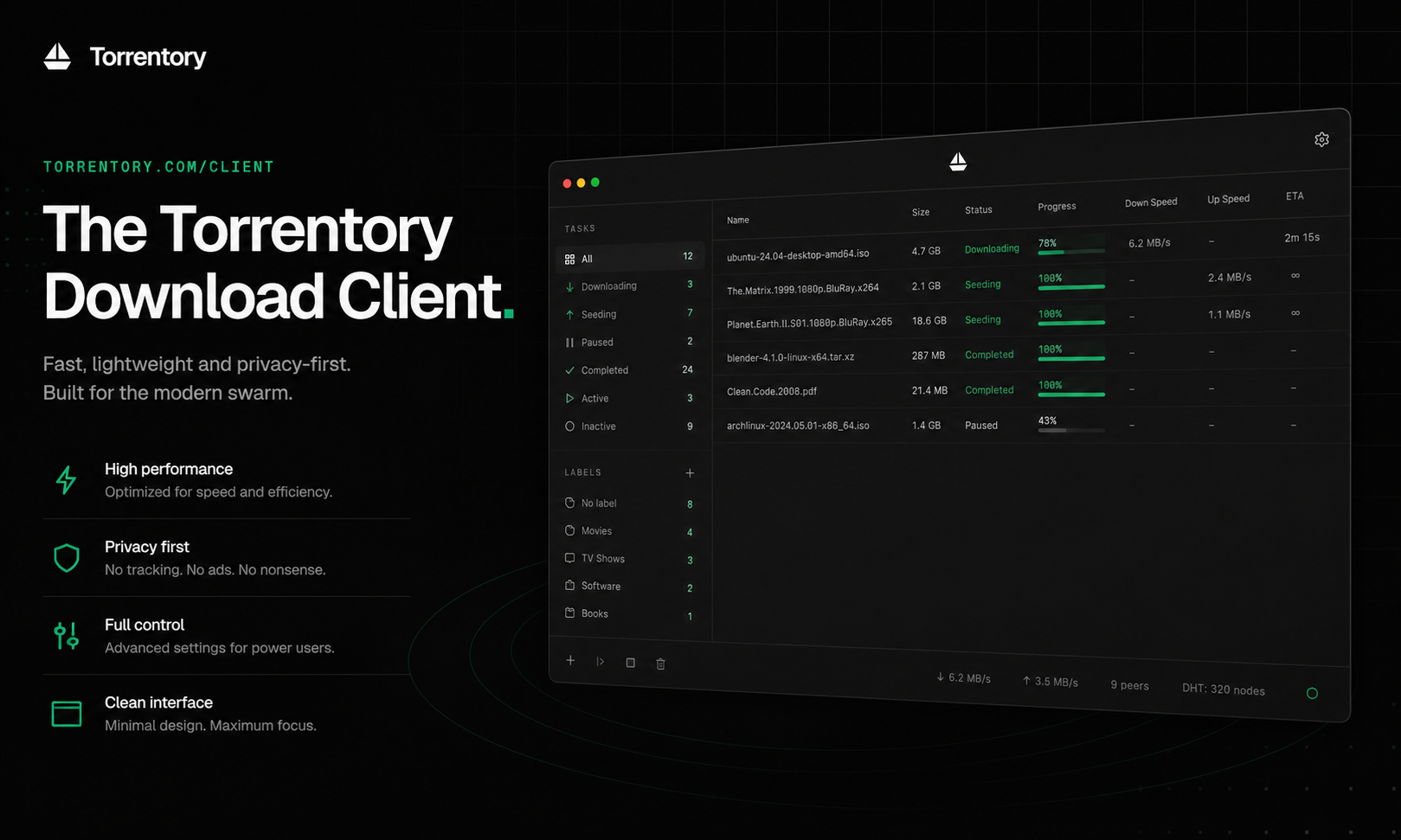
Download without the clutter.
Torrent clients can expose every technical detail at once, even when the task is straightforward: add a download, understand its progress, and open the finished files.
Torrentory Client is being built around that simpler flow.
It is a minimal desktop BitTorrent client designed for people who want the useful parts of the process to stay visible while advanced details remain out of the way.
Paste and go
Getting a download into the client should not require a complicated setup sequence.
Torrentory Client accepts magnet links and `.torrent` files. Add either one, choose where the files should go, and the download joins the local queue.
The main view keeps the essential information easy to scan:
- Download progress
- Current transfer speed
- Estimated time remaining
- Active and completed states
- A direct route to finished files
- Built-in playback for supported media
This makes it possible to check what is happening at a glance without navigating a dense settings interface.
Your downloads, on your computer
Torrentory Client is a local desktop application. People choose the destination for their downloads and can open completed files directly from the app.
The stable client is now available for Apple Silicon Macs running macOS 12 or later and 64-bit PCs running Windows 10 or later. The website detects the visitor's platform and offers the appropriate download, with the other version available alongside it.
Torrentory also integrates with both operating systems. Double-clicking a `.torrent` file can open it directly in the client, while magnet links opened in a browser can launch Torrentory for review. File and magnet handoff works whether the app is starting or already running.
Play media without leaving the client
Torrentory Client now includes a built-in media player.
Supported audio and video files can be opened and played inside the app, keeping the path from download to playback in one place. There is no need to find the file in another application before checking or watching it.
The player follows the same approach as the rest of Torrentory Client: keep the controls clear, make the current state easy to understand, and avoid putting unnecessary interface around the content.
Only what matters
Minimal does not mean hiding the state of a download.
The client keeps progress, speed, and time remaining visible because those are the details most people need. More advanced information stays available without dominating the primary view.
Active downloads, completed items, and the add action are organised into a compact desktop layout. The result is an interface that can remain open while downloads run without demanding constant attention.
One route from search to download
Torrentory Client is being designed alongside the Torrentory index, not as an unrelated app.
The planned experience connects discovery on the website with downloading on the desktop. A one-click handoff will allow a result found on Torrentory to open directly in the local client and enter the download queue.
This creates a clear division of responsibility:
- The website helps people search and understand indexed metadata
- The client handles the peer-to-peer download locally
Together, they are intended to make the path from finding a distributed file to downloading and opening it on macOS or Windows feel direct and coherent.
Built for a simpler everyday workflow
Torrentory Client begins with a deliberately narrow promise: add a torrent, see what it is doing, and get on with your day.
The app will continue to develop as the download experience, website handoff, media playback, and desktop controls are improved.
Torrentory Client is available now as a stable release for macOS and Windows.
Visit torrentory.com/client to learn more and download the current build for Apple Silicon Macs or 64-bit Windows PCs.